


Mechanical Design AI Agent
AI Agent for Mechanical Design
Hand over a 2D drawing or 3D CAD. Just ask.
Hacadly
AI Agent
Give the instruction in a chat, and the AI reads the 2D drawing or 3D CAD data, then builds, checks and corrects the model. From turning 2D drawings into 3D to rebuilding editable feature history in CAD data that has none.
- 2D→3D rebuild success rate 100% (23 in-house benchmark cases)
- Over 2× the latest AI
- Works in your in-house cloud

Please rebuild this 2D drawing as a 3D model
HatBracket_0-1.pdf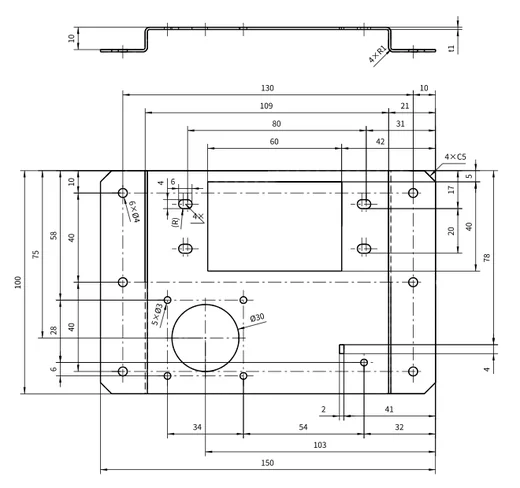
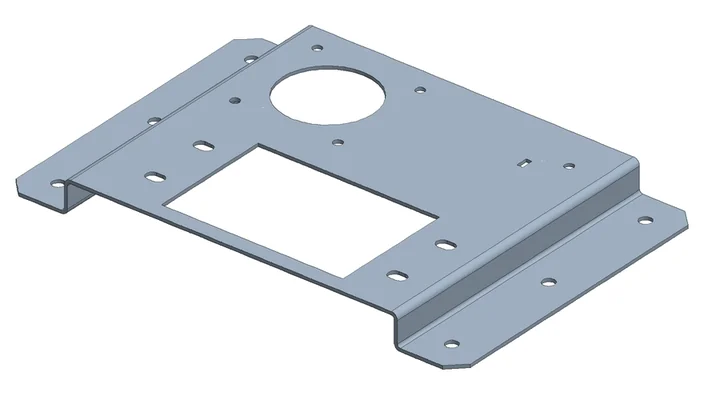
Activity log
- Read the drawing and fix the dimensions and shape
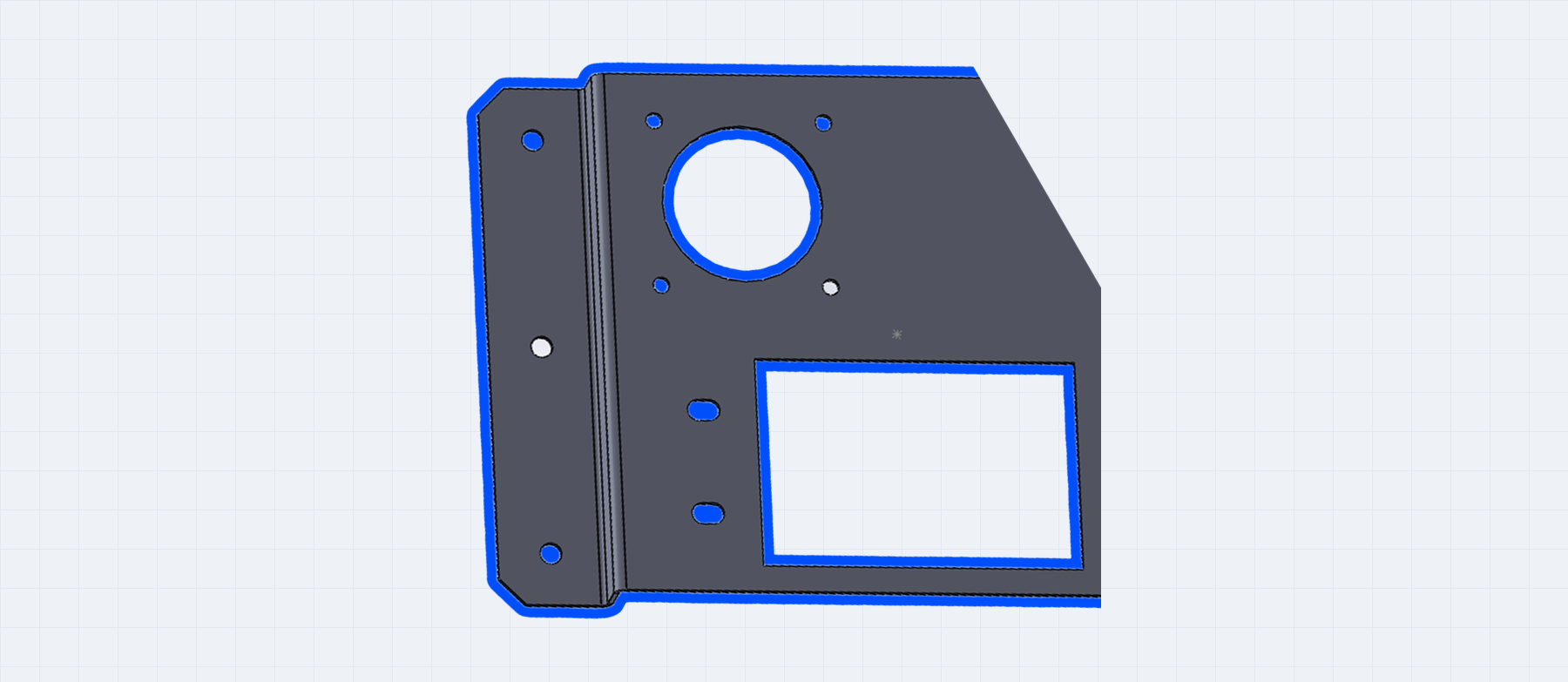
- Build the 3D of the hat-shaped sheet-metal part
- Check against the drawing — bends and hole positions match
- Output STEP and CAD part data with feature history
- Dimension changes & derivative design
- 2D drawing → 3D
- STEP without history → editable history
- More coming soon
What is Hacadly AI Agent?
With generative AI alone, it is hard to get details such as hole positions and sizes, bend directions and part placement accurate enough for real work. By combining its own geometry processing technology with generative AI, Hacadly puts the full capability of generative AI to work in mechanical design.
Facing These Challenges?
Generative AI was tried, but the geometry is not accurate enough for real work
When drawing reading and 3D conversion are left to general-purpose generative AI, mistakes in hole positions, bends and dimensions remain, and in the end people fix them by hand.
Only 2D drawings exist, so 3D studies and CAM programming cannot move forward
Past parts exist only as 2D part drawings, with no 3D model to use for dimension changes, derivative designs or CAM programming. Converting each part to 3D by hand while reading the drawing takes several hours.
Received STEP files have no history, so dimensions cannot be changed
CAD data from business partners and past projects has no feature history, so even changing a sheet thickness or hole diameter means remodeling the part.
Hacadly solves these challenges.
Use Cases
Design Changes & CAD Shape Generation
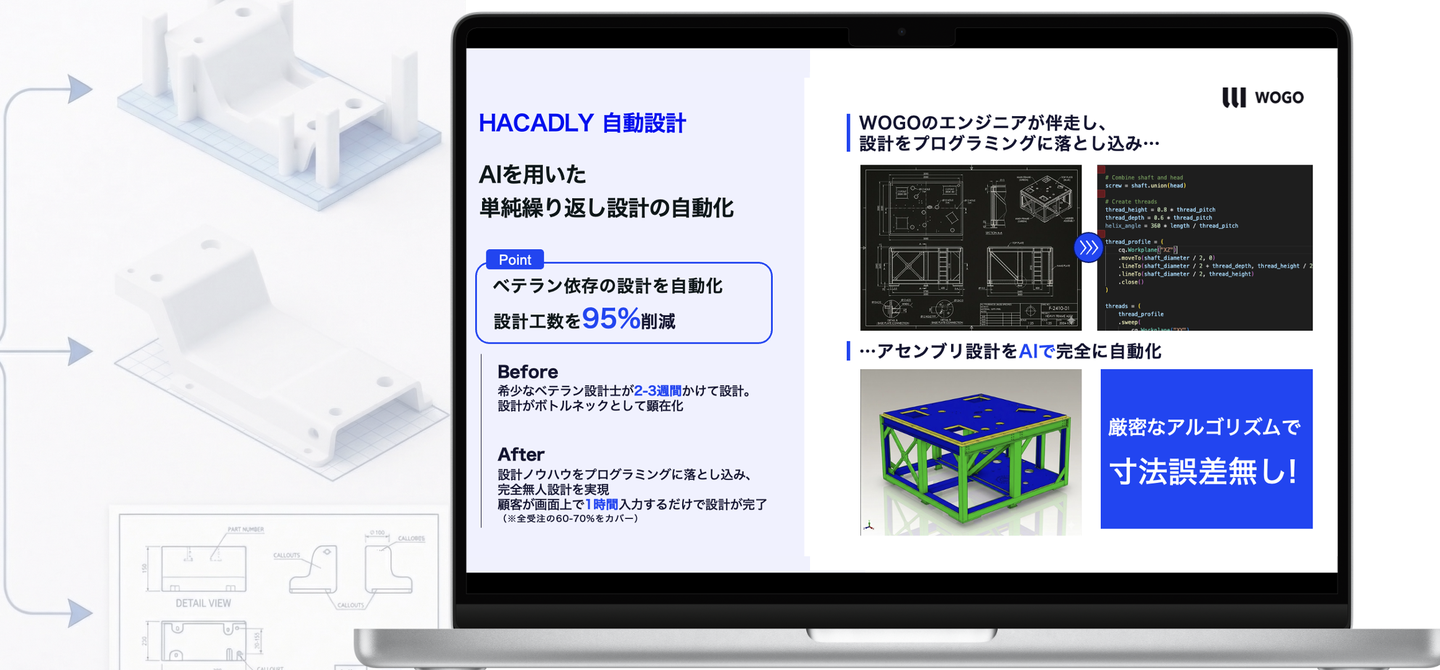
Once your engineers' rules and know-how have been taught to the system, algorithms and AI follow those design rules precisely and output design data that matches the instructions and inputs you give.
Generate 3D models from 2D drawings

Attach a 2D drawing in DXF or PDF and give the instruction. It reads the geometry, dimensions and annotations across multiple views and generates a 3D model in STEP format. It also reads attribute information attached to features, such as thread size and pitch, from the drawing and applies it to the CAD data. You can review the result and any open points, then finish it with follow-up instructions in the chat.
Rebuild editable features from CAD data without history
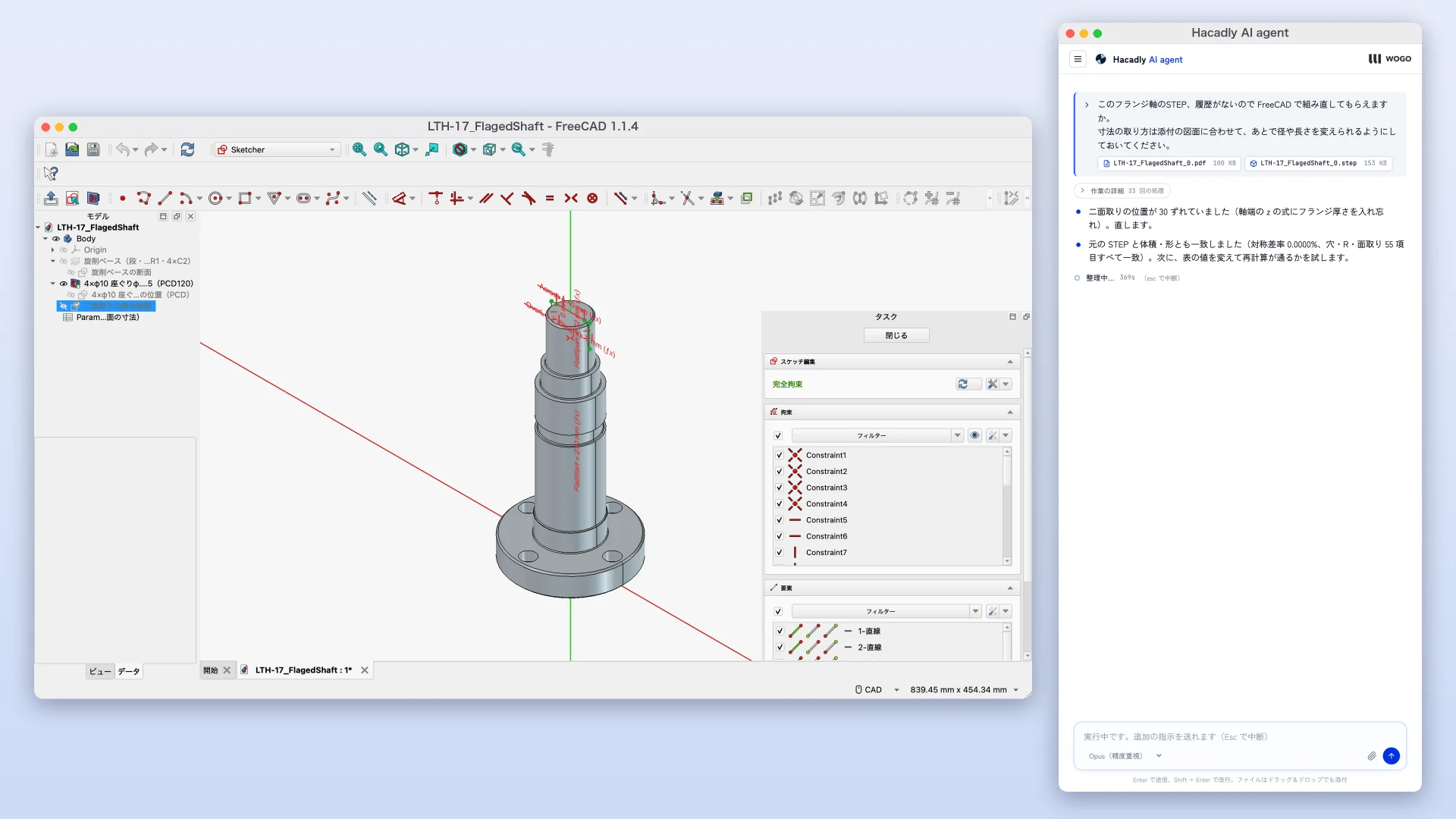
From 3D models with no feature history, such as STEP files, it rebuilds single-part models in your CAD with sketches, extrusions, revolves, holes and other features. Sheet thickness, bend radius, hole diameter, hole position and step dimensions can then be changed as values, so received parts can be used for dimension changes and for derivative designs based on existing parts. It works with a wide range of parametric CAD, such as SOLIDWORKS.
In-house Benchmark
Over 2× the latest AI in rebuilding 3D models from 2D drawings
2D drawing → 3D model rebuild success rate
As of November 2026
100%
About 2.1× the latest AI
- Hacadly AI Agent 100%23/23
- Claude (with tools) 47.8%11/23
- Claude (without tools) 39.1%9/23
23 cases: 9 sheet metal, 10 machined and 4 fabricated parts. A case counts as a success when the outline, dimensions, holes and bends shown in the drawing all match.
Success rate for rebuilding shapes with history and editing them by changing values
As of November 2026
97.1%
+14.7 points over the latest AI
- Hacadly AI Agent 97.1%33/34
- Claude (with tools) 82.4%28/34
- Claude (without tools) 58.8%20/34
On 20 parts (10 sheet metal, 10 machined), the shape was rebuilt with history and then 34 edits were made. An edit counts as a success when thickness, bend radius, hole diameter, hole position or step dimensions change just by editing history values, and the rest of the shape is kept.
- All systems use Claude Opus 5.5 as the model. The evaluation covers the whole system, combining WOGO's drawing and 3D geometry processing rather than generative AI alone.
- Feature history rebuilding was run and evaluated in FreeCAD
Features
Connects to your CAD as an add-in

Design data stays within your in-house cloud

Validated on your own data before rollout
Put the power of an AI agent to work on your 2D drawings and 3D CAD data.
Start by testing it on your own real data.
How It Works
Choosing the target work
We work out which work to apply it to: design changes and CAD shape generation, turning 2D drawings into 3D, or rebuilding CAD data without history. We also review the target products and drawings and the CAD you use.
Validation on your data
We generate and check models with your own 2D drawings and 3D CAD data to confirm the accuracy and the effect on your work.
CAD integration and generative AI environment setup
We set up the connection to the CAD you use and, for enterprises, stand up a generative AI environment in a cloud you manage.
Installation and start of use
The software is installed on users' computers, and you start using it in real work.
Expanding the scope
We expand the part shapes and work it covers step by step.
Media Coverage












*Coverage of WOGO
See the AI agent at work on your own 2D drawings and 3D CAD data
Talk to us about the target work, supported CAD and a demo using your real data. Whether you want to automate design changes and CAD shape creation, turn past 2D drawings into 3D or make received STEP files editable, we will propose how far it can be automated and how to introduce it.
Frequently Asked Questions
It is provided as software installed on users' computers and connects to the CAD you use as an add-in. It can work with a wide range of CAD, such as iCAD SX and SOLIDWORKS. We will advise you individually on current support and on the time needed to add support for other systems.
For enterprises, we can propose a setup where users' computers connect to a generative AI environment in a cloud that you manage. In that case, 2D drawings and 3D CAD data do not pass through WOGO's servers. We also help set up the generative AI environment.
No. It does not reproduce the original designer's operation history itself. Using sheet metal and machining knowledge as well as the shape, it generates a new feature structure that makes dimension changes and reuse easy.
2D drawings in DXF or PDF. We recommend vector data; please note that accuracy is lower for raster data, scanned drawings and paper drawings. We have validated it on sheet metal, machined and fabricated parts, confirming no mismatches with the drawing on examples such as a sheet metal part with 12 holes and 7 bends, a bracket with 29 holes including tapped and burring holes, a machined part with holes and pockets in several directions, and a fabricated product made of multiple members. Support for assemblies and more shapes will be added step by step.
Pricing consists of an initial setup and customization fee, plus a license fee per user. The amounts depend on the target work and your environment, so we quote individually. Please start by talking to us about a demo and a validation using your own data.